

Articulate AI Assistant
Articulate 360’s integrated AI Assistant helps you generate course outlines, text and ideas faster, keeping content fresh whilst reducing development time by up to nine times. Leaving you to focus on what matters.

Explore the Articulate platform
What is AI Assistant?
AI Assistant helps you remove time-consuming manual tasks and focus on what matters most: creating great learning. Built directly into the Articulate 360 suite, it supports you with smart features like image creation, quiz generation, and content structuring.

Let AI do the heavy lifting
AI Assistant can draft outlines, generate content, rewrite text or spark new ideas in seconds. Built with responsible AI practices, it lets you work efficiently while keeping your learning safe and accurate.
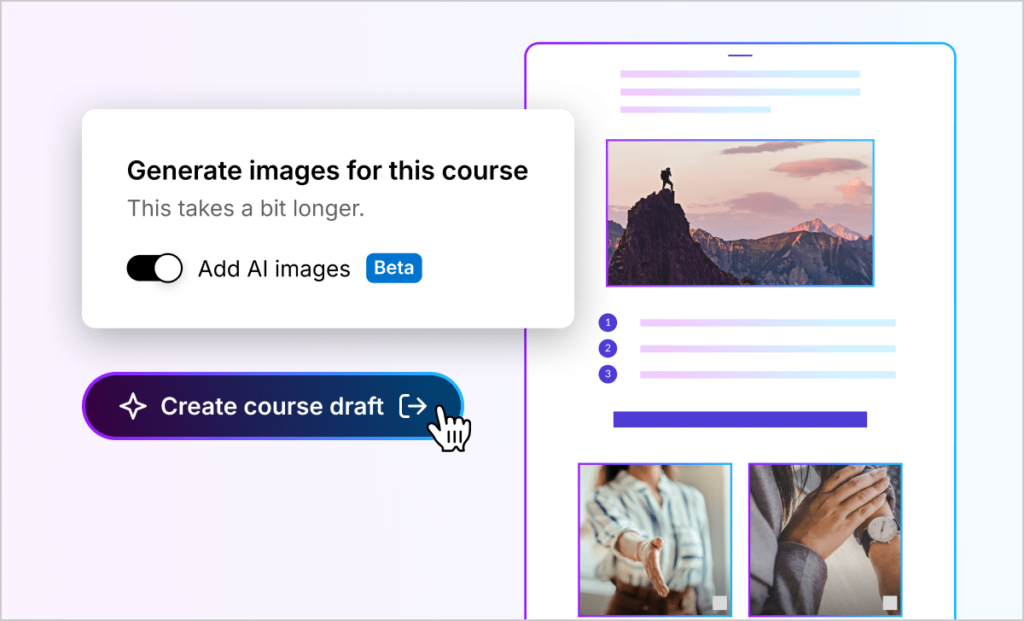
Our favourite AI Assistant features
Craft engaging courses up to 9x faster with an AI Assistant expertly trained in L&D.

Scale at speed
Let your Assistant develop ideas and create high-quality drafts instantly. Leaving you to focus on perfecting.
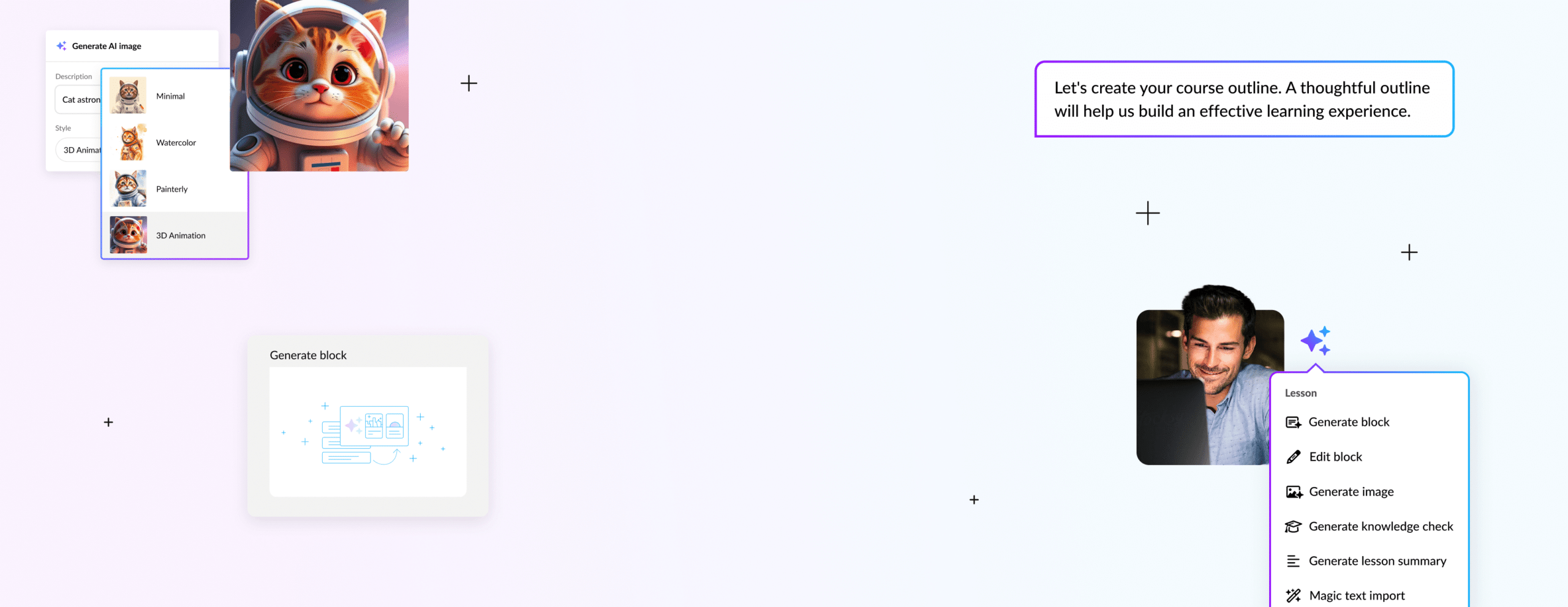

Fresh thinking
With a single click, change your writing tone, check your grammar and explore new ways in to your topic.

Limitless creativity
Choose from almost limitless image styles, AI voices and creative flourishes that bring your content to life.

Progress checks
Gauge your learners’ progress instantly with AI-generated assessments and quizzes. All you have to do is set the difficulty level.
Key features of AI Assistant
Create, refine and enhance learning content faster with AI built directly into Articulate.

AI designed for learning design
Speed up course creation with AI built specifically for instructional designers and course authors.
Kickstart course creation
Turn ideas or source materials into course drafts in seconds, then review, refine and build on them.
Faster assessment creation
Build quizzes and knowledge checks quickly with questions generated from your course content.
Create visuals and voiceover
Generate images and natural-sounding narration directly within Articulate to enhance your learning content.
Smarter content editing
Adjust tone, improve readability, check grammar and expand your course content in just a few clicks.
Responsible AI
Work confidently with AI Assistant knowing your content is never used to train models and your data stays secure.
Explore the Articulate platform
There’s so much built into Articulate.
Discover what you’ve got at your fingertips.

Localization
Flex your content to different audiences and contexts with effortless translation.

Storyline
Build any course you can imagine, including scenarios, simulations and ‘choose-your-path’ experiences.

Rise
Fast, responsive course creation made simple. Use AI-assisted drafting to help you move from idea to first draft faster.
Reach
Deliver training with ease. Track progress, support learners and keep courses moving with built-in engagement tools.
Review
Collaborate with your team across the globe. Gather and share in-context feedback in a dedicated space for team alignment.
Subscription and pricing
Choose the Articulate 360 plan that fits your team’s needs.
Free trial
£0
Start creating with Articulate 360 today.
- Explore Rise and Storyline
- Try AI Assistant features
- Build and preview courses
- Test publishing workflows
- No commitment
Teams
£1,425
/year
Per user, + VAT.
Built for organisations creating learning together.
- Everything in personal
- Co-authoring and shared slides
- Centralised admin and licensing
- SSO and enterprise security
- Distribute learning with Reach
Personal
£1,135
/year
Per user, + VAT.
Designed for individual creators.
- AI-assisted course creation
- Built-in writing support
- Generate visuals and assessments
- Create and publish independently
- Fast-flexible authoring tools
Book a demo
See what your team can do with Articulate as their superpower.
Frequently asked questions
Got questions? Browse our most asked questions below, or contact us for more detailed support and guidance.
AI Assistant is available in the following Articulate 360 apps:
- Rise 360
- Storyline 360
AI Assistant is available in both Storyline 360 and Rise 360, but the functionalities available vary. Check out this article to learn more about which AI Assistant functionalities are available in each app.
Yes, AI Assistant can understand and generate content in any language supported by OpenAI. However, we can’t guarantee that content’s accuracy. We recommend working with a language expert to review any translated content generated by AI.
Developed by training experts and incorporating best practices, AI Assistant seamlessly integrates into creator workflows, enhancing speed, quality, and ease of use. You maintain control through multiple guided steps and opt-in features—including the ability to specify the Bloom’s Taxonomy level for assessments—to achieve your desired output.
AI Assistant’s text-to-speech supports over 70 languages. Here’s a list of the supported languages.
Account owners and primary admins can disable AI Assistant from the account dashboard. When disabled, AI Assistant will remain visible to creators within Rise 360 and Storyline 360 throughout the subscription, but it won’t be functional. Note that disabling individual AI Assistant functionalities isn’t supported; in other words, it’s all or nothing.
For additional questions about disabling AI Assistant, contact our Sales team at [email protected].